UNPHU Academic Planner V0
Student Planning and Academic Management System
Description
This web application allows students at Universidad Pedro Henríquez Ureña (UNPHU) to easily and informedly plan their course selection for upcoming academic terms. With over 200 registered users and planned schedules in the last two academic terms of 2024, this tool has proven its usefulness.
The development of this application was a joint effort between my brother Jorge Lorenzo and me. We implemented the solution using Django and Django Rest Framework for the backend, React and Redux for the frontend, PostgreSQL as the database, and Redis as the caching system.
It's worth noting that the university did not sponsor this project nor intervene in its development. Student and schedule information was obtained through their public API.
Context
At UNPHU, students have a course selection period that lasts approximately one week before the start of the new academic cycle. Each faculty is assigned a specific day for their students to begin their course selection.
The selection is not simultaneous for all; the university organizes students into groups based on their academic index (GPA). Those with the highest GPAs have priority to select their courses and secure spots before students with lower GPAs.
Currently, students can only view available course sections through the student portal,
However, it is limited to showing existing sections for only one course at a time, so if students want to plan their complete course selection, they must manually ensure there are no conflicts between any of the sections of the courses they wish to select. This is an arduous and uncomfortable process that leads many students to not plan their course selection in advance and instead wait until their turn to select.

This portal has limitations:
- >Only allows viewing sections of one course at a time, making complete schedule planning difficult.
- >Doesn't indicate which courses can be selected based on prerequisites.
- >Doesn't inform how many students have priority in spot selection.
- >Doesn't provide data about professors or their performance statistics.
- >Doesn't offer information about the perceived difficulty of courses.
Features and Implementation
GoogleAuth Authentication
Students can log in with their institutional account (@unphu.edu.do). Upon registration, the application obtains information such as major, GPA, curriculum, and class year through calls to UNPHU's API. Additionally, user grades are loaded to generate statistics about courses and professors.
Authentication is managed with JSON Web Tokens (JWT), generating a refresh token and an access token, which are stored in local storage and used to access protected routes.

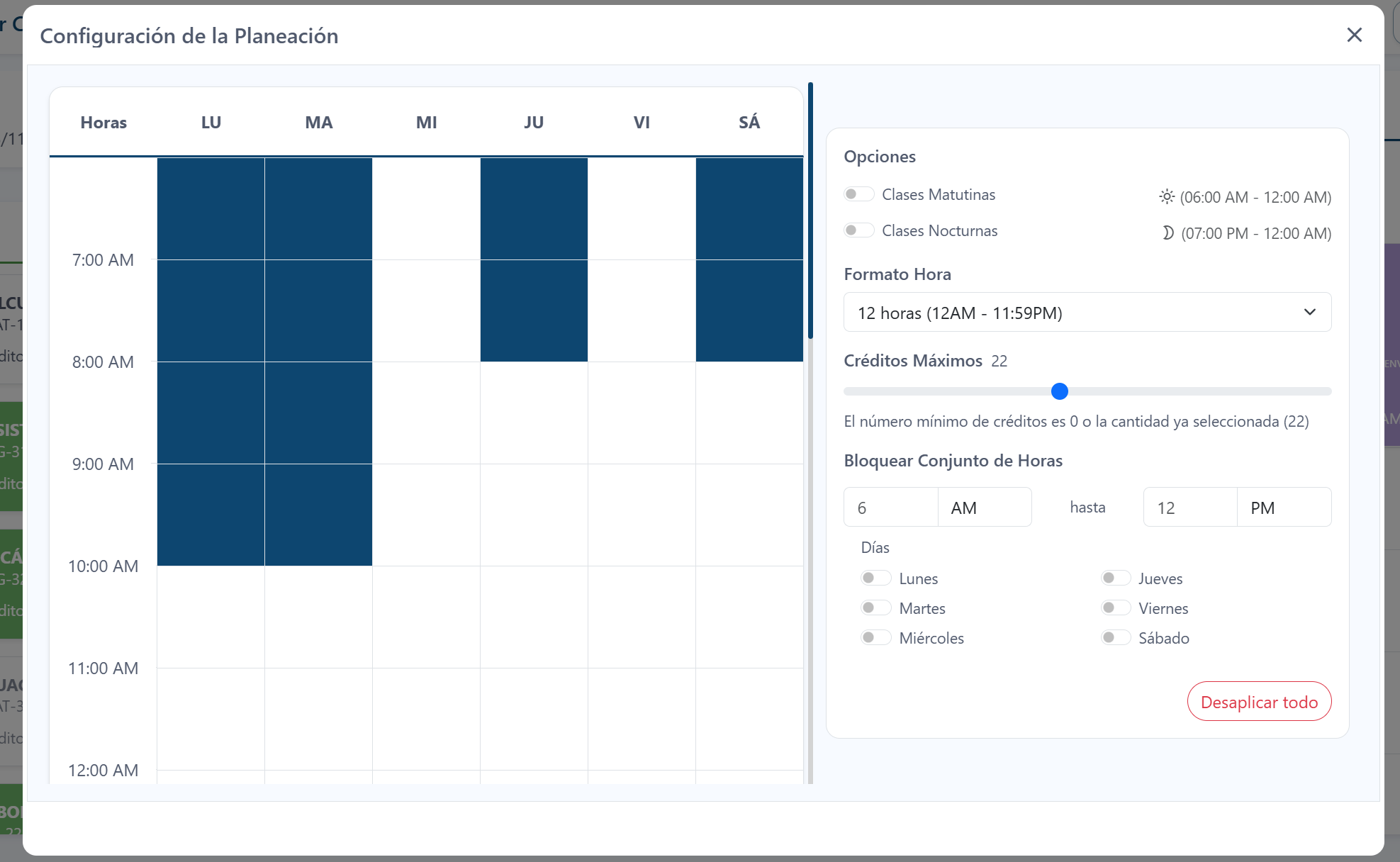
Schedule Creation
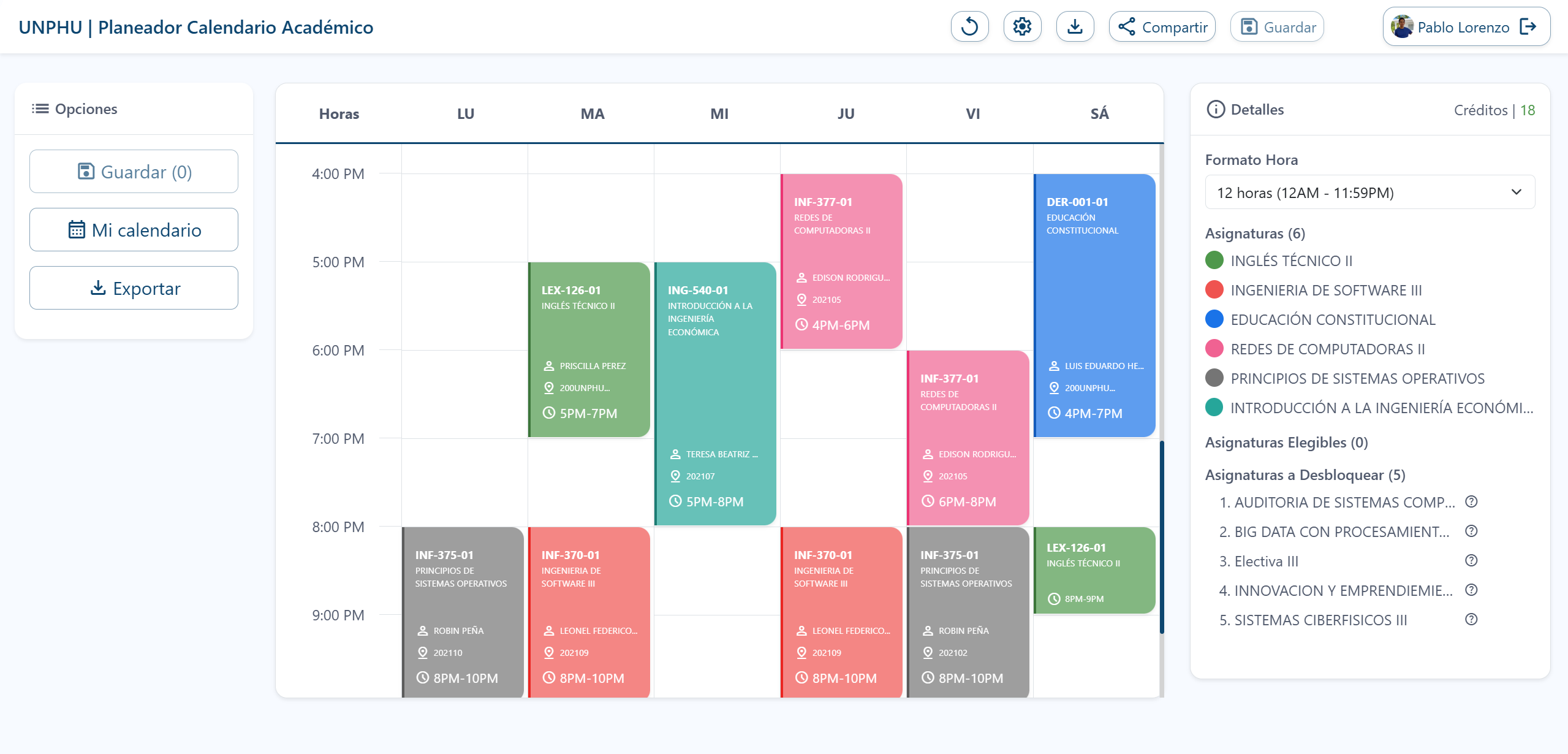
The main interface shows:
- >On the left: Pending courses to take according to the student's curriculum.
- >On the right: A space where the schedule is built.
To obtain pending courses, the application filters available sections for the next academic period through UNPHU's API. In the backend, courses that the student hasn't taken yet are identified, and additional information is added, such as which courses each one unlocks and completed and missing prerequisites. This information is cached for one day.
Students can view available sections for each course and access detailed information, such as professor and course statistics.
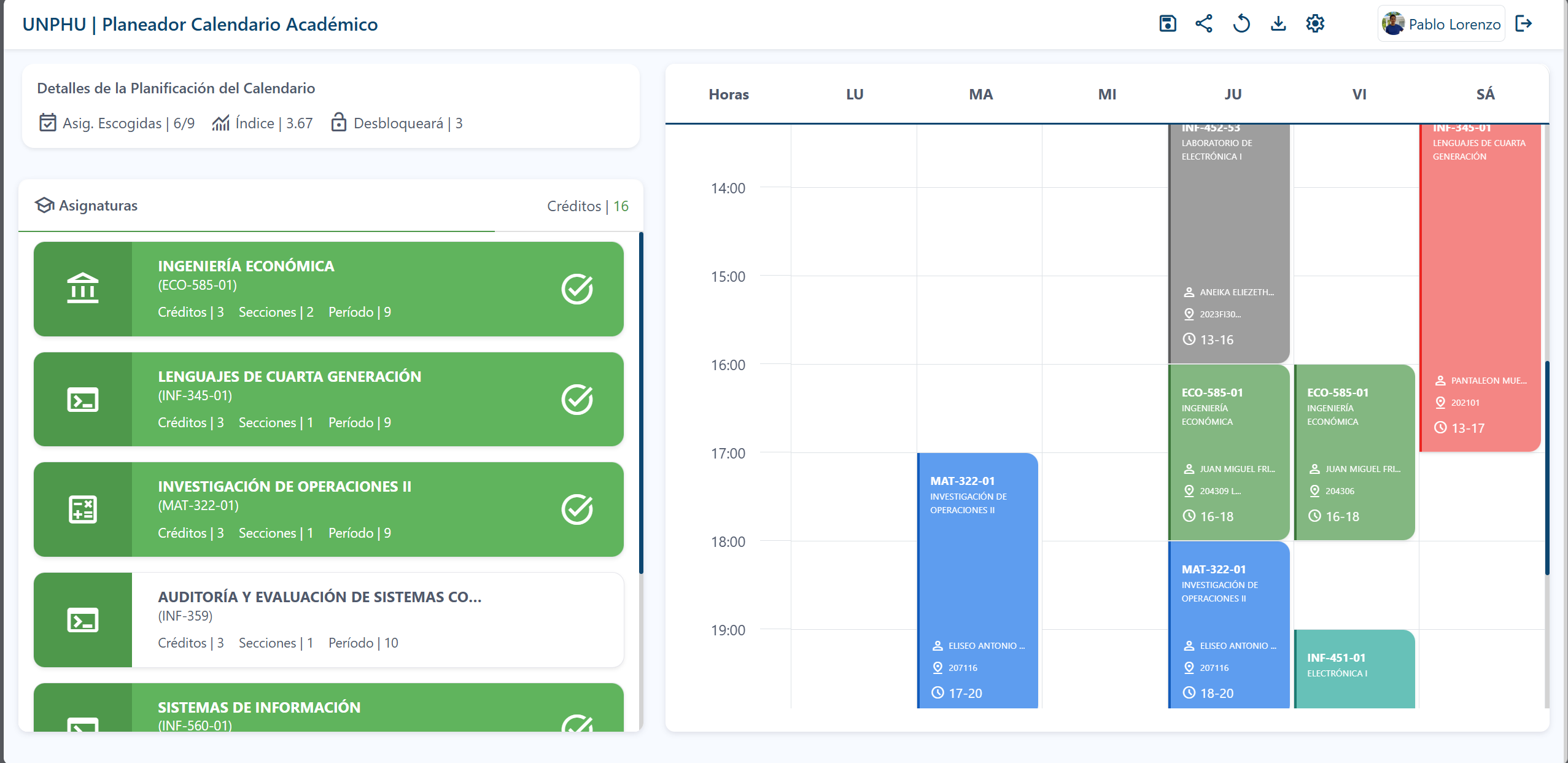
When clicking on a course, available sections can be viewed.
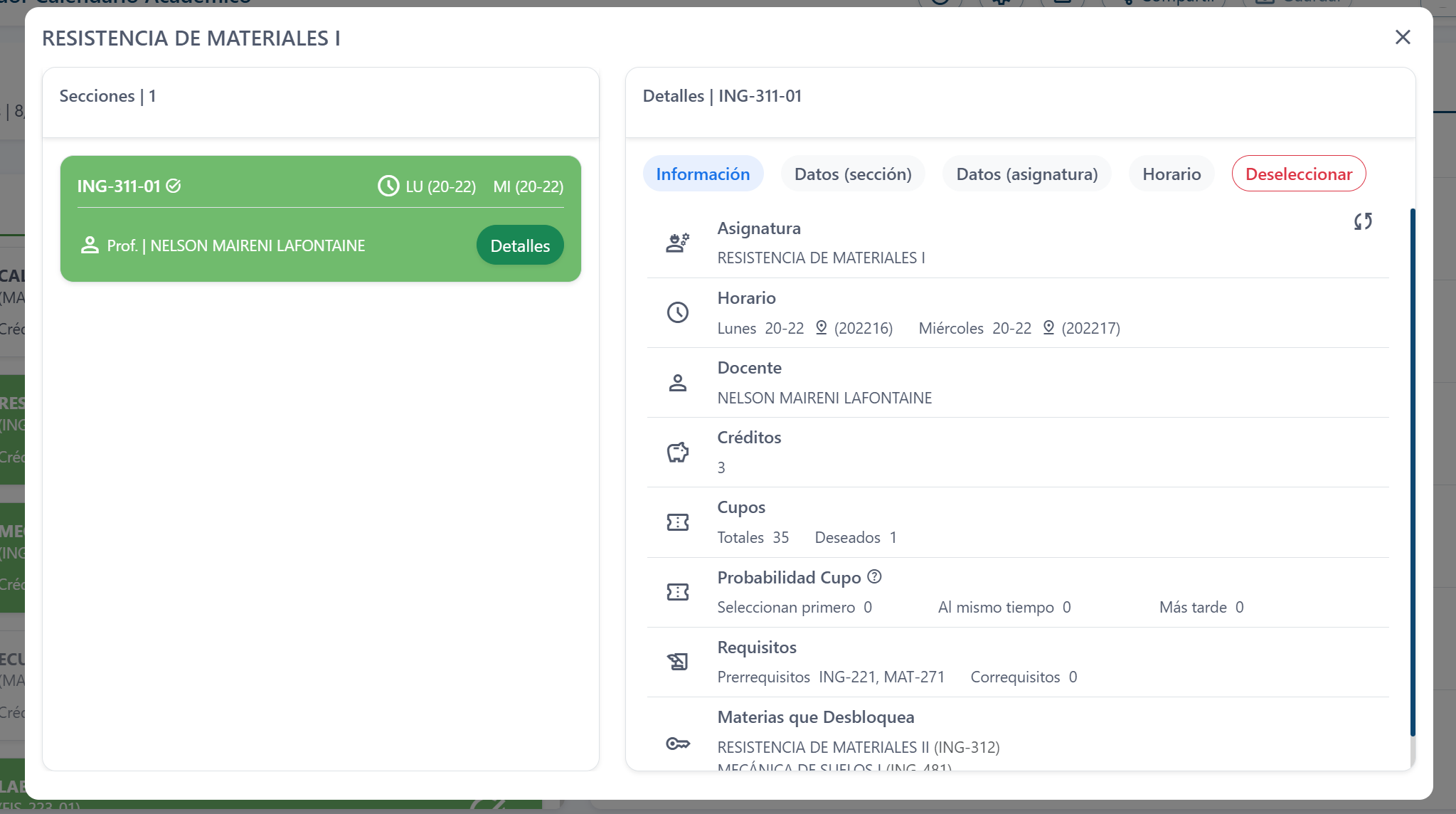 When clicking on a section, its details can be viewed. Users can choose between several tabs:
- >Information: Shows general course details and information about the selected section (as shown in the previous image).
- >Data (section): Presents statistics of the professor teaching the course.
- >Data (course): Offers statistics of the course in general.
Statistics
The application provides statistics to help students make informed decisions. These are divided into:
- >Historical: Considers all available records.
- >Recent: Based on records from the last year.
Professor-Course Statistics
In the Data (section) tab, statistics are shown for students who have taken the course with the selected section's professor:
- >Average grade: Average grade obtained by students.
- >Average passing rate: Percentage of students who passed the course.
- >Average withdrawal rate: Percentage of students who withdrew from the course.
- >Average failure rate: Percentage of students who failed the course.
- >Sample: Number of students considered for statistics and how many of them are registered in the application.
Course Statistics
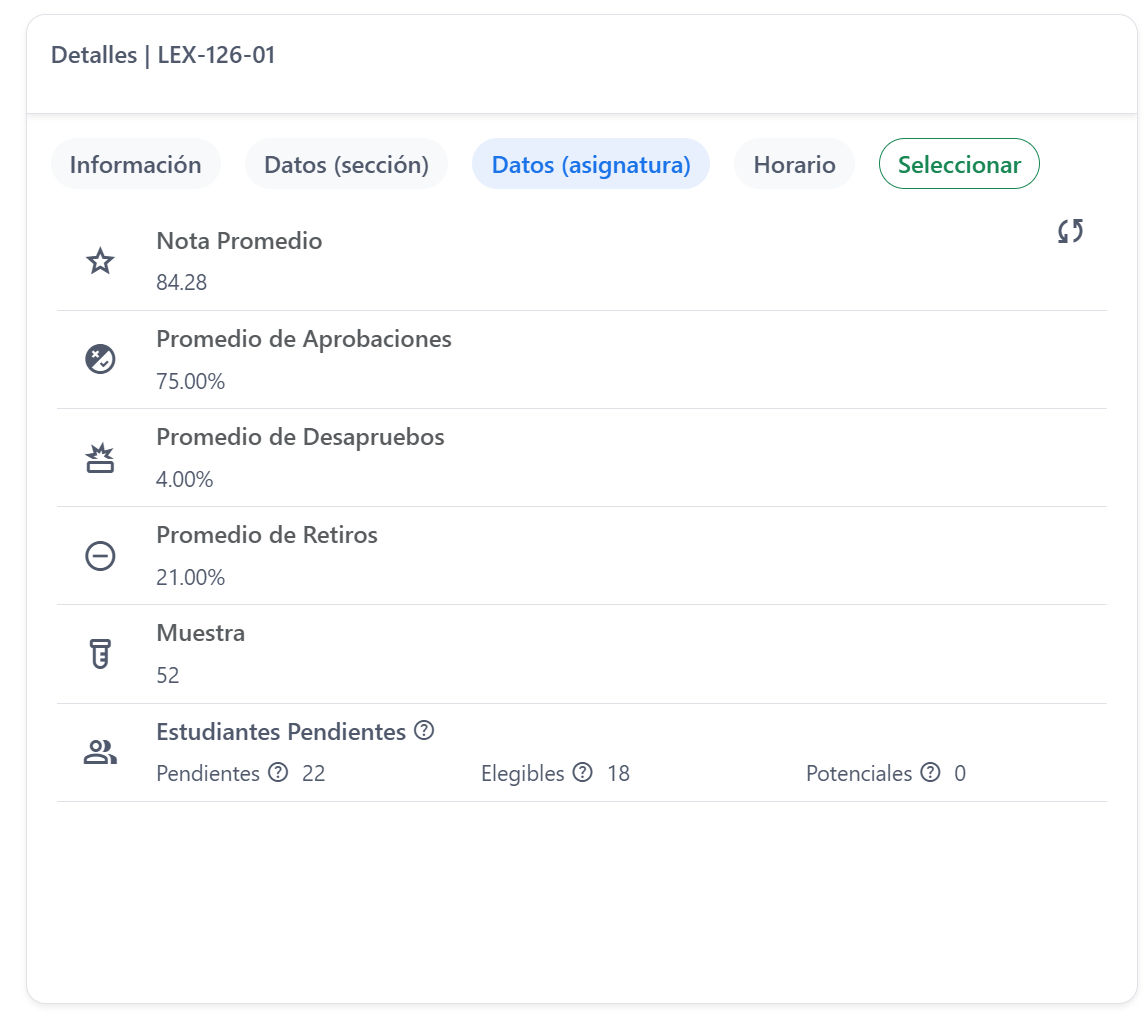
To obtain these statistics, records and grades of all students who have taken the course are considered, regardless of the professor who taught it.
Save Schedules
Students can save their schedule to revisit it later. When they log in again or return to the home page while authenticated, the saved schedule will automatically load in the interface.
Before saving a schedule, validations are performed in the backend to ensure:
- >The student has the selected courses pending.
- >There are no schedule conflicts between sections.
- >Information hasn't been altered on the client side.
- >Demand for each section is recorded to calculate spot probabilities.
When loading the schedule on the client, the backend verifies the availability of each section by querying UNPHU's API. If any previously saved section has been modified in the university's database, the backend updates the student's schedule with the new information. If any section's schedule has changed, the entire saved schedule is deleted. This ensures that students always have the most up-to-date information.
Schedule Export and Sharing
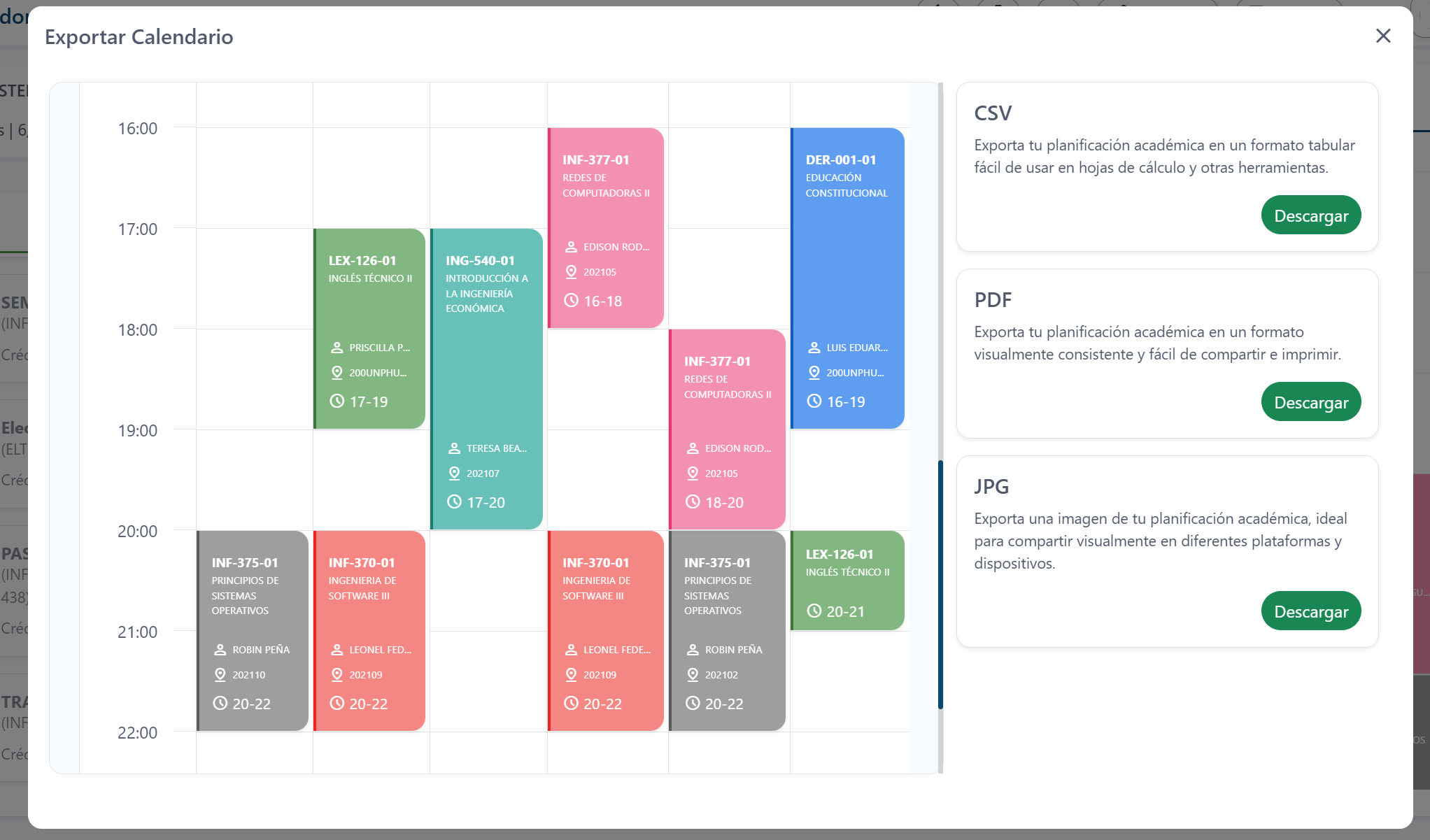
Schedules can be exported in CSV, PDF, and JPG formats. Additionally, students can share their schedule through a URL, allowing others to view their planning.